
A PHP error is a message PHP produces when it cannot compile or run part of a script correctly. Some errors stop the page completely, while others only warn you and let the page keep loading. This guide explains the main types, their usual causes and a safe order for fixing them, with notes for WordPress site owners. You will also see which settings to keep off on a live site and when a developer should take over.
What Is a PHP Error?
A PHP error is PHP’s report that something in your code, configuration or server environment prevents normal execution. The official PHP manual groups these reports into levels such as errors, warnings, notices and deprecation notices, each with its own severity.
Since PHP 7, many serious failures are thrown as Error objects instead of being reported the old way. An Error does not extend Exception, so catch (Exception $e) misses it. Catching Throwable handles both, as the manual’s page on Error exceptions explains.
Why PHP Errors Matter
- Visitors see a broken or blank page instead of your content.
- Messages displayed on screen can reveal file paths and code details.
- Unnoticed warnings often signal a bigger failure ahead.
- Search crawlers cannot read a page that fails to load.
Common Types of PHP Errors
Each type has a named constant, and the level decides whether the script keeps running.
| Type | Constant | Script halts? | Typical sign |
|---|---|---|---|
| Parse error | E_PARSE | Code never runs | Syntax mistake |
| Fatal error | E_ERROR | Yes | Blank page, “Uncaught Error” |
| Warning | E_WARNING | No | Message, page still loads |
| Notice | E_NOTICE | No | Minor flag, such as an unset variable |
| Deprecated | E_DEPRECATED | No | Code that will break in a future version |
Parse Errors
A parse error appears when PHP cannot read the code, usually because of a missing semicolon, an unclosed bracket or a stray quotation mark. PHP stops before running anything in that file. Because the file never compiles, a setting placed inside that same file cannot reveal the message, so server-level or php.ini settings must do it.
Fatal Errors
The manual describes E_ERROR as a fatal run-time error that cannot be recovered from, such as a memory allocation problem. Calling an undefined function or class, or exhausting the memory limit, produces one. Execution stops at that point. In PHP 7 and later, the message often begins with “Uncaught Error” followed by the failing call, for example an undefined function.
Warnings, Notices and Deprecation Notices
A warning is non-fatal, so the script continues. A notice flags something that may be a mistake but can also occur in normal code. A deprecation notice says the code will stop working in a future PHP version, which makes it an early signal before an upgrade.
What Causes a PHP Error?
Most PHP error reports trace back to a short list of causes:
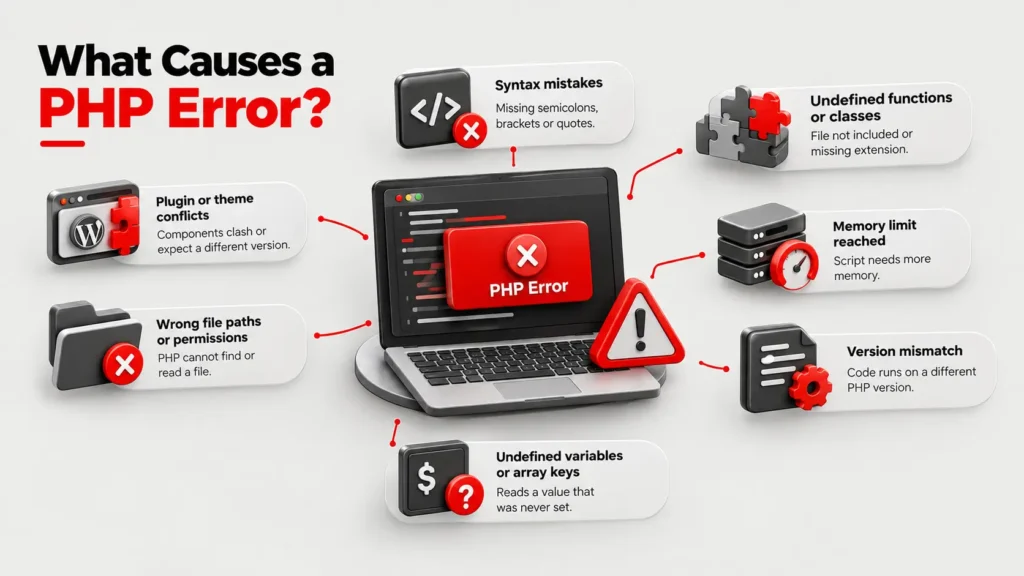
- Syntax mistakes: missing semicolons, unmatched brackets or quotes.
- Undefined functions or classes: a file was not included, or a required PHP extension is missing.
- Memory limit reached: the script needs more memory than the server allows.
- Version mismatch: code written for one PHP version runs on another that removed or changed a feature.
- Plugin or theme conflicts: in WordPress, two components clash or one expects a different PHP version.
- Wrong file paths or permissions: PHP cannot find or read a file it needs.
- Undefined variables or array keys: the code reads a value that was never set.
How to Find and Fix a PHP Error
- Read the message. Note the error type, the file path and the line number. The line shows where PHP noticed the problem, which can sit after the real cause.
- Check the error log. Logging writes errors to a file you can review later, even for failures that never reach the screen.
- Work on a copy. Reproduce the problem on a local or staging copy and take a backup before editing anything.
- Fix the cause. Correct the syntax, restore the missing file or extension, raise a limit with your host’s approval or update code that no longer matches your PHP version.
- Retest and recheck the log. Confirm the page loads and no new messages appear.
Should You Show or Log PHP Errors?
Log them on a live site and display them only in development. The manual states that display_errors should never be used on production systems, and its bundled production configuration sets it to Off. A typical production setup uses these php.ini directives:
display_errors = Offlog_errors = Onerror_logpointing to a writable fileerror_reporting = E_ALL
Fixing a PHP Error in WordPress
WordPress adds three constants in wp-config.php. WP_DEBUG turns debug mode on, WP_DEBUG_LOG saves messages to wp-content/debug.log and WP_DEBUG_DISPLAY controls whether they show on the page. The WordPress debugging guide advises using them on local or staging sites, not on a live one. It also recommends setting WP_DEBUG_DISPLAY to false and keeping WP_DEBUG_LOG on, so errors are recorded without appearing to visitors.
If the log points to a plugin or theme, deactivate it on the staging copy, confirm the error disappears and then update, replace or remove the component.
Who Should Fix It, and When?
A site owner with a backup can handle a single notice or a plugin conflict. Bring in a developer when fatal errors repeat, when checkout or enquiry forms fail, when custom code is involved or when the log shows database messages you cannot interpret.
Act immediately on a blank screen or a failing form. Save the exact message, file name and time, because a developer can trace a logged error faster than a description such as “the site is broken.” Treat deprecation notices as a to-do list before you upgrade PHP. Business sites benefit from WordPress development that tests changes on a staging copy before they go live.
Mistakes That Make a PHP Error Worse
- Leaving
display_errorson for a live site - Editing live files without a backup
- Silencing messages with the
@operator instead of fixing the cause - Ignoring warnings and deprecation notices
- Upgrading PHP without testing plugins and themes first
Frequently Asked Questions
What is a PHP error in simple terms?
It is a message from PHP saying it could not run some code as written. The message names the problem type, the file and the line, which gives you a starting point for the fix.
What is the difference between a PHP warning and a fatal error?
A warning is non-fatal, so the script keeps running. A fatal error halts execution at the failing line, which usually leaves a blank or incomplete page.
Where can I find the PHP error log?
The error_log setting defines the file. If it is unset, PHP sends errors to the server’s logger, such as the Apache error log. WordPress with WP_DEBUG_LOG enabled writes to wp-content/debug.log. Your hosting panel may also list logs.
Why does my WordPress site show a white screen?
A fatal error is often behind it, hidden because error display is off. Check the log for the message, which usually names a plugin, theme or memory problem.
Is it safe to show PHP errors on a live website?
No. The PHP manual advises against it on production systems, because messages can expose paths and code details. Log errors privately instead.
Can a PHP error affect SEO?
Search engines cannot read content from a page that fails to load, and visitors leave. A technical SEO review covers crawling and indexing issues, and Search Console shows which URLs Google could not fetch.